Read your local ride dashboard
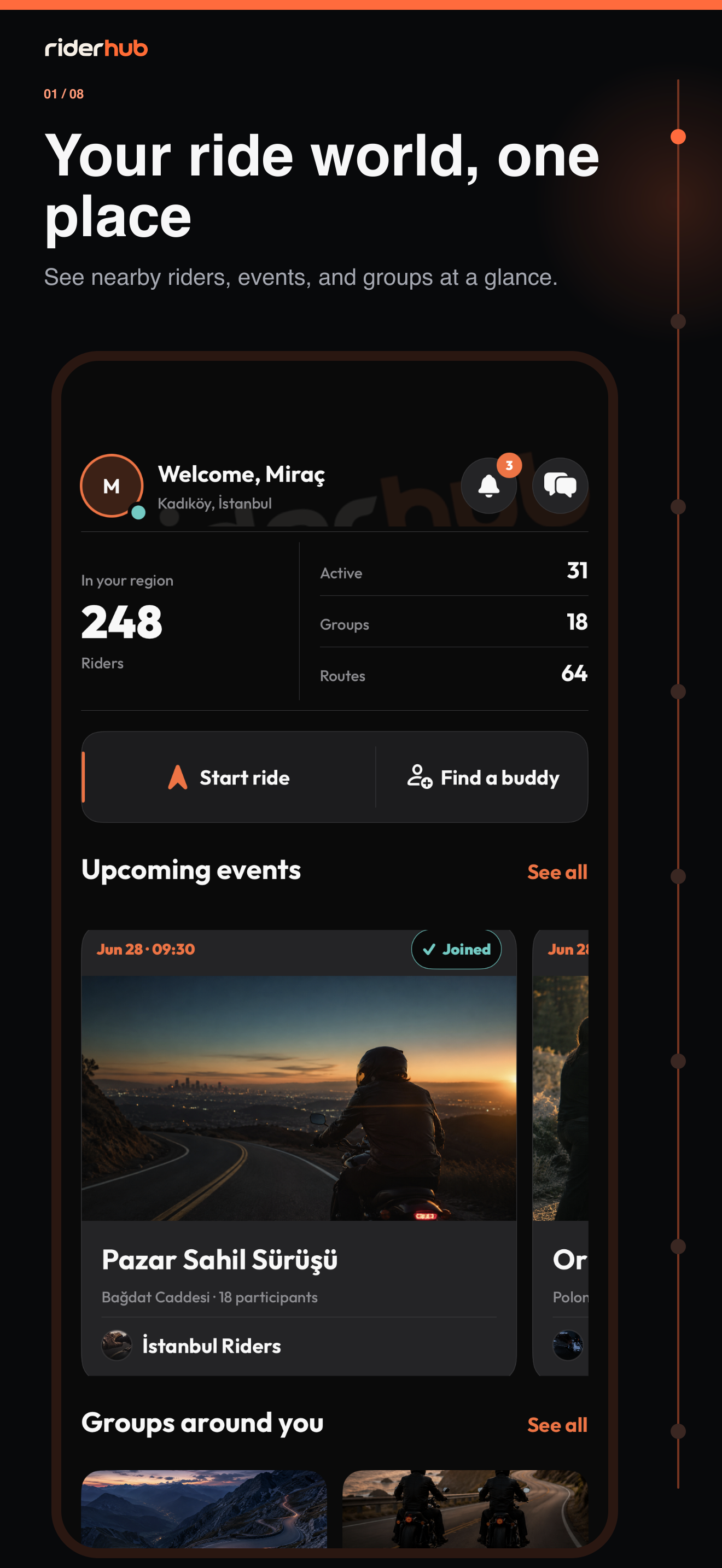
Home is not a social feed. It is the command center that summarizes riding opportunities around your profile location, with profile, messages and notifications above the regional, ride, event and group sections.
Use Home step by step
- Complete your profile location, or choose Use my current location if permission was already granted.
- Review local rider, active rider, group and route counts.
- Tap Start ride to open Free Ride on any plan.
- Tap Find buddy to open the full location-based Riding Buddy list.
- Open a nearby event or group card to go directly to its detail screen.
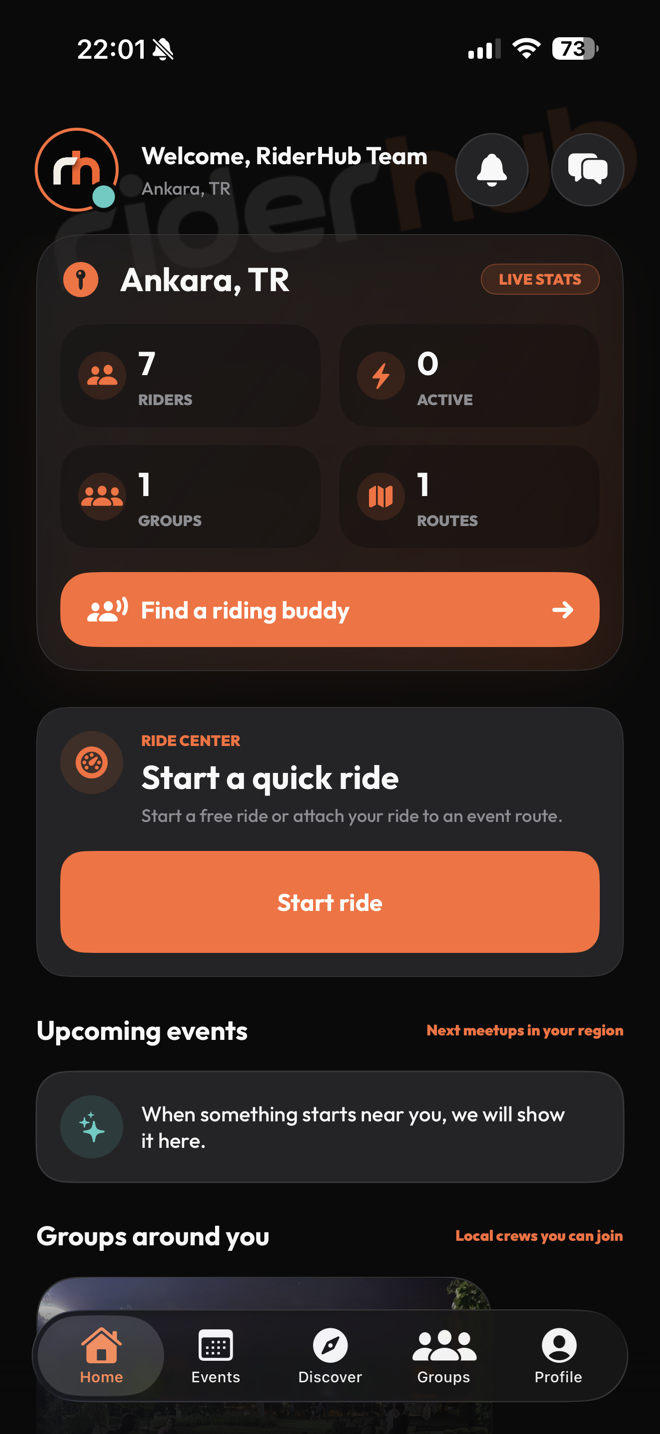
Refresh and location details
- Pull to refresh updates every section without deleting visible content when refresh fails.
- Without a profile location, RiderHub does not make unfiltered regional requests and shows a Choose location setup card.
- Messages and notifications stay in the compact header.
- See all links open the complete Events or Groups list.